Managing an NBFC involves much more than receiving a loan application and approving it.
A typical lending operation can involve customer acquisition, application management, document collection, KYC workflows, eligibility checks, approvals, disbursement, repayment tracking, collections, customer communication, reporting, and integrations with external services.
When these activities are managed across spreadsheets, emails, WhatsApp conversations, and disconnected software systems, operations can become increasingly difficult to control as the business grows.
This is where NBFC CRM software can help.
A properly designed NBFC CRM can centralize customer information and connect different stages of the lending workflow into a structured system.
The objective is simple:
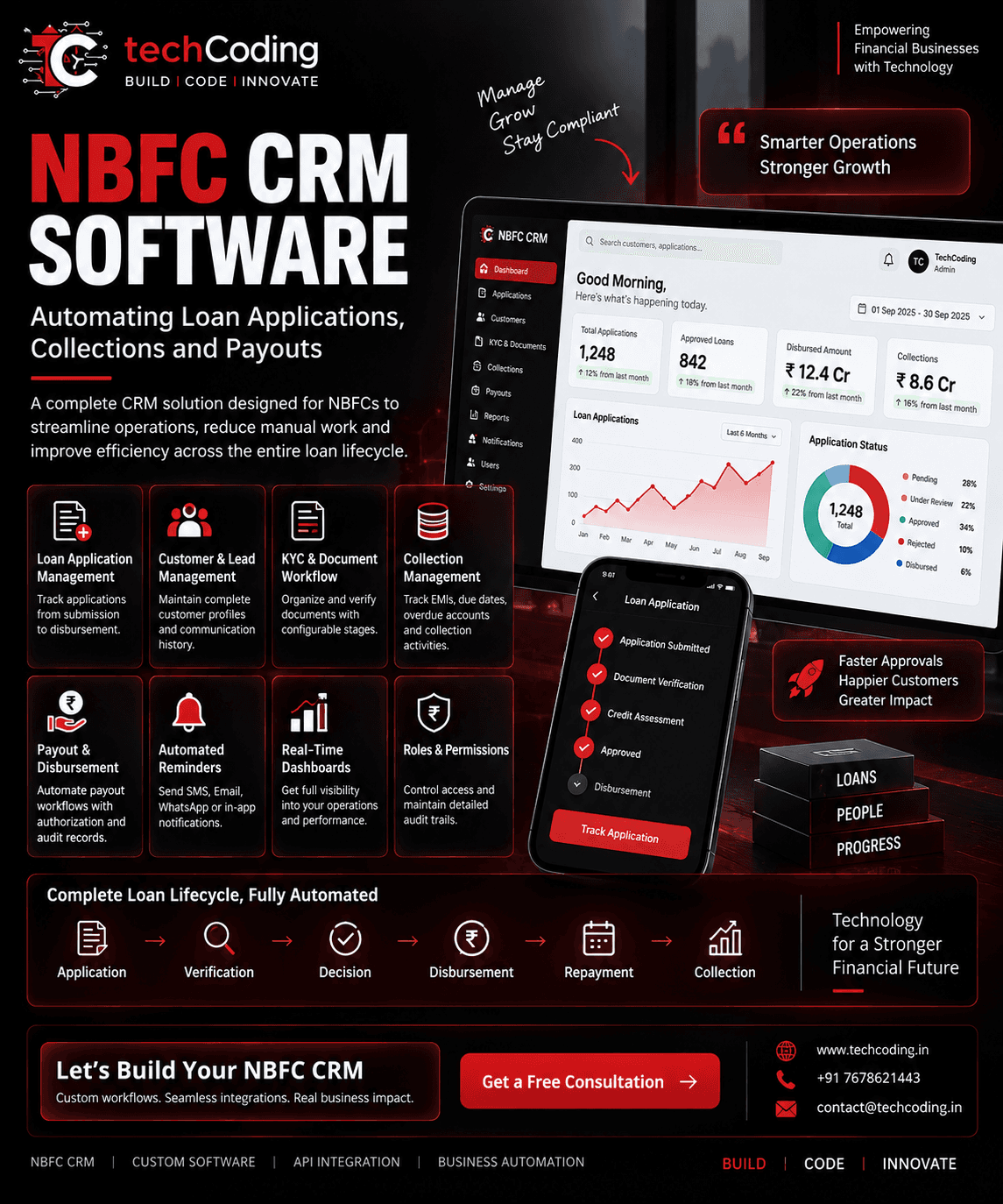
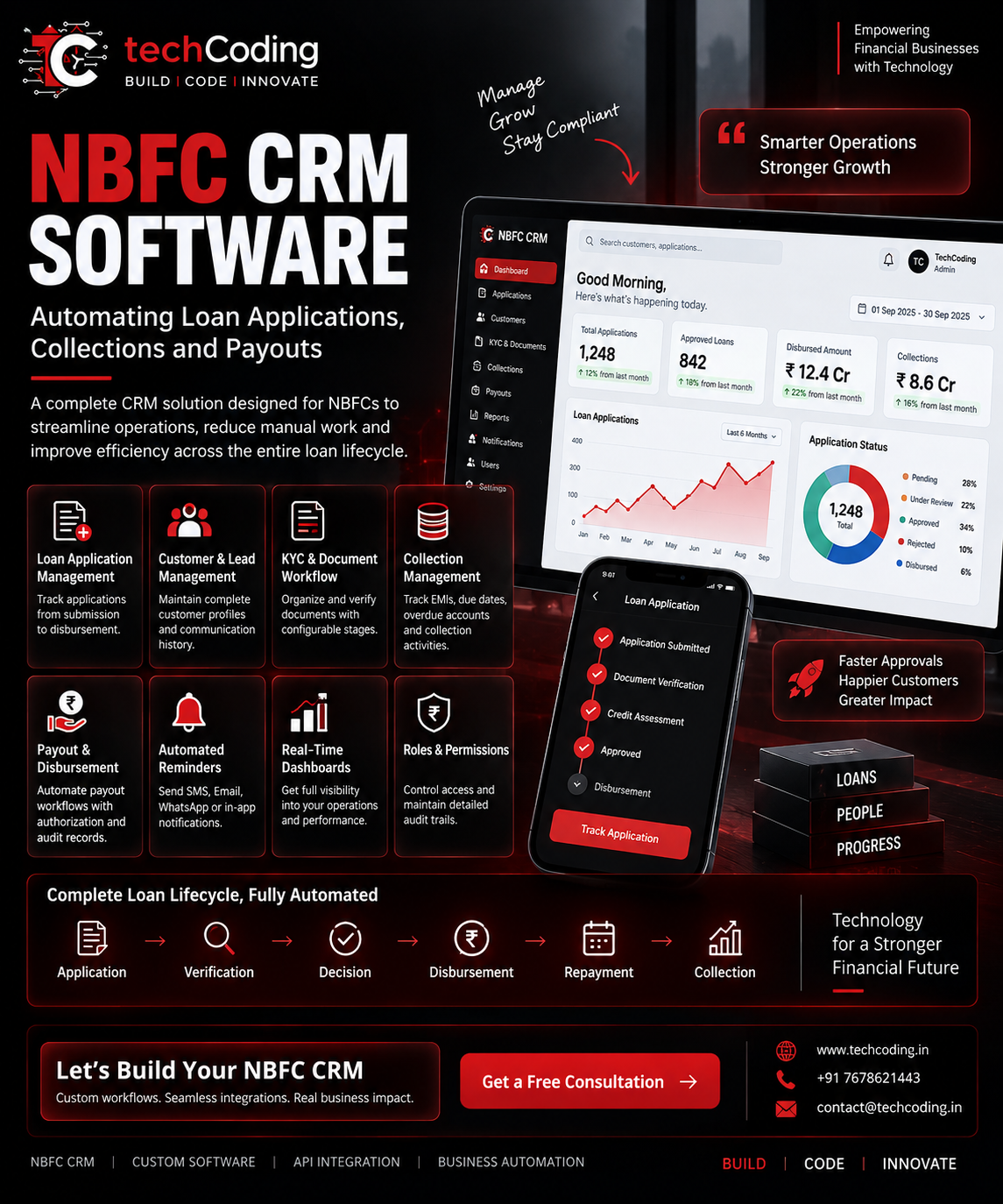
Application → Verification → Decision → Disbursement → Repayment → Collection
Instead of teams manually coordinating every step, software can automate appropriate parts of the process while maintaining approvals, permissions, and audit records where required.
What Is NBFC CRM Software?
NBFC CRM software is a customer and workflow management system designed around the operational requirements of lending businesses.
Unlike a basic CRM that primarily stores leads and customer information, an NBFC-focused CRM can support workflows related to the complete customer and loan lifecycle.
Depending on the organization's requirements, it may include:
Lead management
Customer profiles
Loan applications
Document management
KYC workflows
Application status tracking
Internal approvals
Disbursement workflows
EMI tracking
Collection management
Customer communication
Reports and dashboards
User roles and permissions
API integrations
Audit trails
The exact workflow can be customized according to the NBFC's products, internal policies, technology stack, and regulatory requirements.
Why Do NBFCs Need a Specialized CRM?
A traditional CRM may be sufficient for managing sales leads.
Lending operations, however, usually involve many more stages.
Consider a customer applying for a loan.
Information may need to move through several teams and systems:
Lead → Application → Documents → Verification → Assessment → Approval → Disbursement → Repayment
If every department maintains separate spreadsheets or systems, information can become fragmented.
Employees may repeatedly enter the same customer data, manually check application status, search for documents, and communicate updates between teams.
A centralized CRM can provide a structured workflow and a common source of operational information.
1. Loan Application Management
Loan applications are one of the most important components of an NBFC CRM.
Instead of manually tracking applications through spreadsheets, teams can manage them through defined stages.
For example:
Application Submitted
↓
Documents Received
↓
Verification
↓
Assessment
↓
Approved / Rejected
↓
Disbursement
Authorized employees can see the current status of an application from a centralized dashboard.
The system can also record important information such as:
Application ID
Applicant information
Loan product
Requested amount
Application date
Assigned employee
Document status
Verification status
Approval status
Disbursement status
This gives teams better visibility across the application lifecycle.
2. Customer and Lead Management
An NBFC may receive leads from multiple channels.
These could include:
Website forms
Landing pages
Mobile applications
Partners
Referral networks
Marketing campaigns
Call centers
Branches
External lead platforms
A CRM can bring these leads into one centralized system.
Each customer profile can contain relevant information such as contact details, application history, communication records, assigned employees, documents, and loan-related information.
This helps reduce scattered customer data across different tools.
3. KYC and Document Workflow
Loan processing usually requires collecting and verifying various documents.
Depending on the product and applicable requirements, these may include identity, address, income, employment, banking, and other supporting documents.
A CRM can provide a structured document workflow.
For example:
Document Requested → Uploaded → Under Review → Verified / Rejected
Authorized users can quickly identify missing or pending documents.
The system can also maintain timestamps and activity records for important workflow actions.
Where external verification providers are used, relevant APIs can be integrated into the workflow subject to the provider's capabilities and applicable requirements.
4. Automated Application Workflows
One major advantage of custom CRM software is workflow automation.
Instead of manually moving applications between departments, the system can trigger actions when predefined conditions are met.
For example:
New Application
→ Assign to employee
→ Request documents
→ Start verification workflow
→ Update application status
→ Notify relevant team
→ Create next task
Automation can reduce repetitive administrative work while keeping important decisions under appropriate human control.
5. Loan Decision and Approval Workflows
Different organizations may have different approval structures.
A CRM can support configurable approval workflows.
For example:
Operations Review → Credit Review → Authorized Approval → Disbursement Queue
The system can define which roles are permitted to perform particular actions.
For sensitive operations, businesses can implement maker-checker or multi-level approval workflows.
This is especially useful when a transaction or status change should not be controlled by a single user.
6. Disbursement and Payout Management
After approval, disbursement is another important stage.
A CRM can maintain a structured disbursement workflow containing information such as:
Customer
Loan account
Approved amount
Beneficiary details
Disbursement status
Transaction reference
Processing date
Approval history
Where supported, the CRM can also integrate with authorized payment or banking infrastructure through APIs.
A typical workflow could look like:
Approved Loan → Disbursement Request → Authorization → Payment API → Status Update
For financial transactions, appropriate authorization, validation, reconciliation, security controls, and applicable compliance requirements remain important.
7. Collection Management
Disbursing a loan is only part of the lending lifecycle.
Repayment and collection management are equally important.
An NBFC CRM can help teams track:
EMI schedules
Upcoming payments
Paid installments
Outstanding amounts
Overdue accounts
Collection activities
Follow-up history
Customer communication
Collection teams can view relevant accounts from their dashboards and record the outcome of follow-up activities.
8. Automated Payment Reminders
Manually reminding every customer about upcoming payments can require significant operational effort.
CRM workflows can trigger communications based on configured events.
For example:
EMI Due Soon
→ Reminder
Payment Due Today
→ Notification
Payment Overdue
→ Follow-up workflow
Depending on the organization's communication setup, notifications may be delivered through channels such as SMS, email, WhatsApp, or in-app notifications.
This helps teams maintain more consistent customer communication.
9. Real-Time NBFC Dashboard
Management teams need visibility into operations.
Instead of creating reports manually from several spreadsheets, a CRM dashboard can consolidate important operational metrics.
Depending on the implementation, dashboards might include:
Total applications
Applications under review
Approved applications
Rejected applications
Disbursed loans
Disbursement value
Upcoming repayments
Collections
Overdue accounts
Team activities
Dashboards can also include filters for date ranges, products, branches, teams, or other relevant dimensions.
10. Role-Based Access Control
Not every employee should have access to every feature or customer record.
An NBFC CRM can use Role-Based Access Control (RBAC) to define permissions.
For example:
Admin
System configuration and authorized administrative functions.
Sales Team
Leads and customer follow-ups.
Operations Team
Applications and documents.
Collection Team
Repayment and collection workflows.
Authorized Approver
Specified approval actions.
Permissions should be designed around the organization's actual responsibilities and security requirements.
11. Audit Trails
Important actions inside financial software should be traceable.
An audit trail can record events such as:
Who performed an action
What was changed
Previous and updated values where appropriate
When the action occurred
Relevant workflow status
Audit records can improve operational accountability and assist with internal reviews.
12. API Integration
An NBFC CRM rarely operates completely on its own.
Depending on the business model and providers being used, it may need to communicate with external services.
Examples can include:
KYC or verification providers
Payment systems
Banking services
SMS providers
Email platforms
WhatsApp communication services
Credit-related data providers
Accounting systems
Existing loan-management systems
Mobile applications
Customer portals
APIs allow these systems to exchange information programmatically.
This creates a more connected technology ecosystem.
13. CRM + Customer Portal
A customer-facing portal can be connected with the internal CRM.
Customers may be able to perform permitted actions such as:
Submit applications
Upload documents
Check application status
View relevant loan information
Access repayment information
Submit service requests
Update permitted profile information
Updates can then flow into the internal system through APIs.
This reduces dependency on manual communication for routine requests.
14. CRM + Mobile Application
The same backend can also support a mobile application.
For example:
Mobile App → Secure API → CRM / Backend → Database
Customers can interact with relevant services through the mobile app while employees continue managing operations through an internal dashboard.
This creates a connected experience across web, mobile, and administrative systems.
15. Reporting and Analytics
Operational data becomes more valuable when it can be analyzed.
An NBFC CRM can generate reports for relevant metrics such as:
Application volumes
Approval and rejection counts
Disbursement activity
Collection activity
Overdue accounts
Lead sources
Team activity
Product performance
Reports can be filtered according to business requirements and exported where appropriate.
Manual Process vs NBFC CRM
ProcessManual ApproachNBFC CRMApplicationsSpreadsheet/FilesCentralized workflowCustomer DataMultiple systemsUnified customer profileDocumentsEmail/Manual foldersStructured document workflowFollow-UpsManual remindersAutomated tasks/remindersCollectionsManual trackingCollection dashboardPayout WorkflowSeparate/manual stepsControlled workflowReportingManual preparationDashboard & reportsPermissionsDifficult to manageRole-based accessActivity TrackingLimitedAudit trailsIntegrationsDisconnectedAPI-based connectivity
Custom NBFC CRM vs Generic CRM
Generic CRM platforms can be useful for standard sales and customer-management processes.
However, an NBFC may require workflows specific to its operations.
A custom CRM can be designed around:
Existing loan processes
Different loan products
Internal approval hierarchy
Document requirements
Collection workflows
Existing software
External APIs
Reporting requirements
Employee roles
Customer portal requirements
This allows the software to fit the business workflow rather than forcing every workflow into a generic CRM structure.
Security Considerations for NBFC CRM Software
Financial applications can process sensitive information, so security should be considered throughout system design and operation.
Relevant controls may include:
HTTPS/TLS
Strong authentication
Role-based authorization
Multi-factor authentication where appropriate
Secure password handling
Encryption for sensitive data
API authentication
Rate limiting
Input validation
Secure logging
Audit trails
Backup and recovery processes
Session management
Access monitoring
Security requirements should be evaluated according to the system architecture, data involved, applicable regulations, and organizational policies.
How TechCoding Can Help
At TechCoding, we build custom CRM and business automation solutions around an organization's actual workflow.
For NBFC projects, solutions can include:
Custom NBFC CRM
Loan Application Management
Customer & Lead Management
KYC Workflow Integration
Document Management
Approval Workflows
Disbursement & Payout Workflows
Collection Management
EMI Tracking
Notification Automation
Admin Dashboards
Role & Permission Management
Audit Trails
API Integration
Customer Portals
Mobile App Integration
Custom Reports
The system architecture and features can be adapted according to the organization's existing processes and integration requirements.
A Connected Loan Lifecycle
The real value of an NBFC CRM comes from connecting individual processes.
Instead of:
Excel + WhatsApp + Emails + Separate Dashboards + Manual Reports
the objective is to create a connected workflow:
Lead
↓
Application
↓
KYC & Verification
↓
Decision
↓
Disbursement
↓
Repayment
↓
Collection
↓
Reporting
This can provide teams with better operational visibility and reduce unnecessary repetitive work.
Final Thoughts
As an NBFC grows, manually coordinating applications, customers, documents, repayments, collections, and internal teams can become increasingly difficult.
A well-designed NBFC CRM software solution can centralize these workflows and automate appropriate repetitive processes.
The objective isn't simply to add another piece of software.
It is to create a more connected operational system with clear workflows, controlled access, useful reporting, and integrations with the tools the organization already uses.
Smarter operations. Better visibility. Scalable workflows.
🚀 Build Your Custom NBFC CRM With TechCoding
Need a CRM tailored to your NBFC's workflow?
TechCoding builds custom software solutions for loan workflows, collections, CRM operations, API integrations, dashboards, and business automation.
🌐 www.techcoding.in📧 contact@techcoding.in📞 +91 7678621443
BUILD | CODE | INNOVATE