Published on 9 August 2026
Why Every Growing Business Needs a CRM in 2026
Discover how a CRM helps businesses manage leads, customers, sales, follow-ups, and automation while improving productivity and business growth.
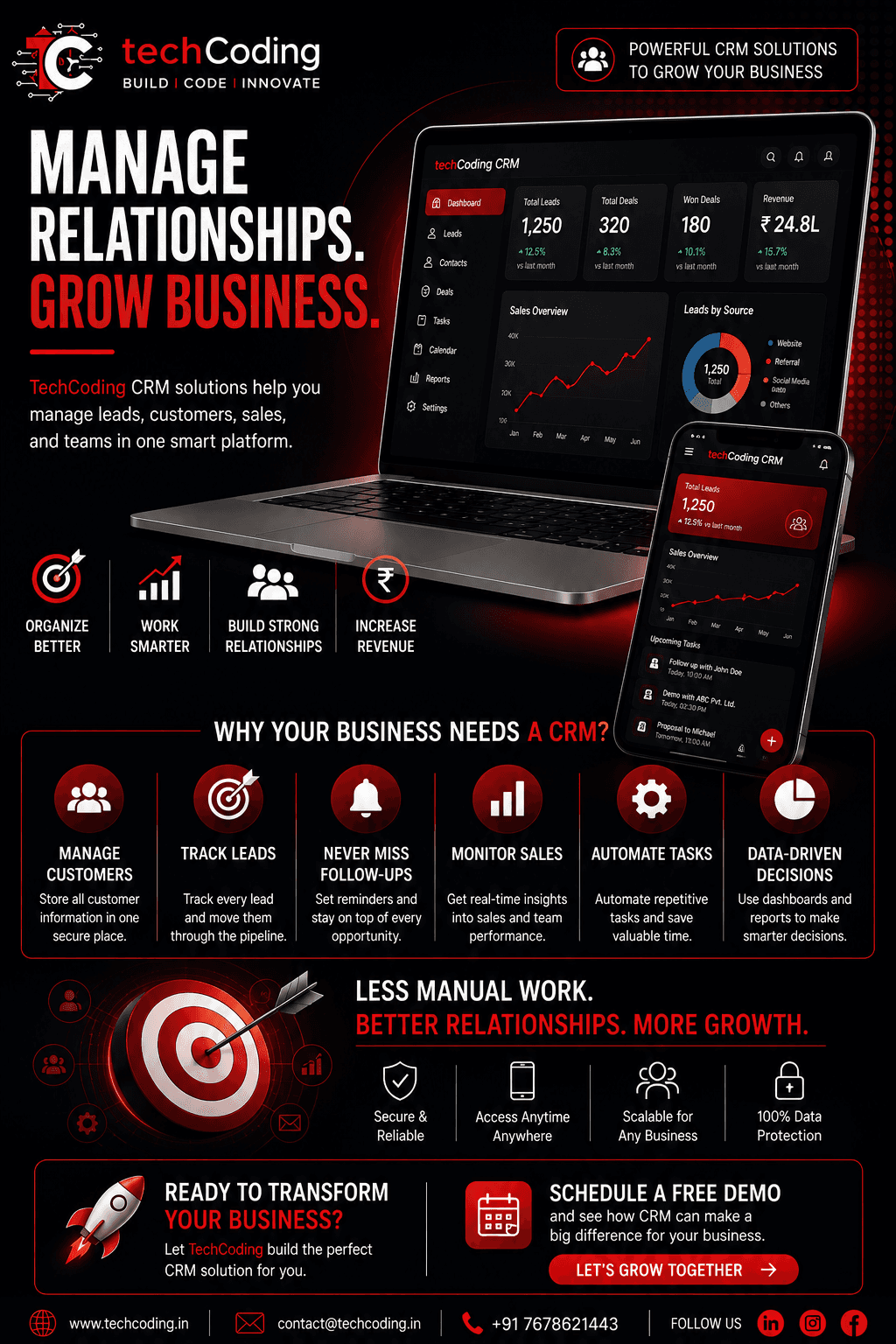
Managing customers is one of the most important parts of running a business.
As a business grows, the number of leads, customers, follow-ups, sales conversations, and internal tasks also increases. Many businesses initially manage this information using Excel spreadsheets, notebooks, emails, or WhatsApp conversations.
This may work when you have a small number of customers.
But eventually, things start getting complicated.
Leads get missed. Follow-ups are forgotten. Customer information becomes difficult to find. Sales teams lose track of opportunities.
This is where a CRM (Customer Relationship Management) system can make a major difference.
A CRM brings customer information, leads, sales activities, follow-ups, and business communication into one centralized platform.
What Is a CRM?
CRM stands for Customer Relationship Management.
A CRM system is software that helps businesses manage their relationships with existing and potential customers.
Instead of keeping customer information across multiple spreadsheets, emails, and messaging applications, a CRM allows businesses to manage everything from one place.
A CRM can help you manage:
Customer information
Leads
Sales opportunities
Follow-ups
Tasks
Meetings
Communication
Sales pipelines
Reports
Team activities
The goal is simple:
Organize your customer data and help your team work smarter.
Why Businesses Outgrow Excel
Excel is a powerful tool for managing data, especially for small businesses.
However, Excel isn't designed to manage complex customer relationships and sales processes.
As your business grows, you may start experiencing problems such as:
Duplicate customer records
Missing follow-ups
Difficult data searching
Manual updates
No real-time sales pipeline
Limited automation
Difficult team collaboration
Poor visibility into sales performance
A CRM is designed specifically to solve these problems.
1. Manage All Customers in One Place
One of the biggest advantages of a CRM is centralized customer information.
Instead of searching through multiple files or conversations, your team can access customer information from a single dashboard.
A CRM can store information such as:
Customer name
Contact details
Company
Previous interactions
Purchase history
Assigned sales representative
Follow-up dates
Current status
This makes customer management faster and more organized.
2. Track Every Lead
Not every lead becomes a customer immediately.
Some may be interested today, while others may require several follow-ups before making a decision.
A CRM helps your team track every lead throughout the sales process.
For example:
New Lead → Contacted → Qualified → Proposal → Negotiation → Won
Your sales team can instantly understand where each lead currently stands.
This reduces the chances of losing valuable opportunities.
3. Never Miss a Follow-Up
One of the biggest reasons businesses lose potential customers is missed follow-ups.
A CRM can create reminders for:
Calls
Meetings
Emails
Payments
Renewals
Sales follow-ups
Instead of relying on memory, your CRM keeps track of important activities automatically.
This allows your team to focus on customers instead of remembering every task manually.
4. Improve Sales Management
A CRM provides businesses with a clear overview of their sales pipeline.
Managers can see:
Total leads
Active opportunities
Closed deals
Pending deals
Revenue
Sales targets
Team performance
This makes it easier to identify problems and opportunities.
For example, if many leads are stuck at the proposal stage, the business can investigate why those opportunities aren't converting.
5. Automate Repetitive Tasks
Modern CRM systems can automate many repetitive processes.
For example, a CRM can automatically:
Assign leads to sales representatives
Send follow-up reminders
Send emails
Update lead statuses
Generate reports
Create tasks
Notify team members
Track customer activities
Automation saves valuable time and reduces manual errors.
6. Improve Team Collaboration
When customer information is stored in one centralized system, different departments can work together more effectively.
For example:
Sales can manage leads.
Support can view customer history.
Management can monitor performance.
Marketing can understand customer behavior.
Everyone works with the same information.
This creates a more connected business workflow.
7. Make Data-Driven Decisions
A good CRM isn't just a customer database.
It can also provide valuable business insights.
CRM dashboards can show:
Lead conversion rates
Sales trends
Revenue performance
Lead sources
Customer activity
Sales representative performance
Monthly growth
Instead of making decisions based on assumptions, businesses can use real data.
8. Improve Customer Experience
Customers don't want to repeat the same information every time they contact a business.
With a CRM, your team can access previous interactions and customer history.
This allows employees to understand the customer's situation before responding.
The result is a more personalized and professional customer experience.
9. Scale Your Business More Easily
A small business may be able to manage customers manually.
But when the business grows from:
50 customers → 500 customers → 5,000 customers
manual systems become increasingly difficult to maintain.
A CRM provides a structured system that can scale with the business.
You can add:
More users
More customers
More sales pipelines
More automation
More integrations
More reporting
without completely changing your workflow.
Custom CRM vs Generic CRM
Not every business operates in the same way.
A real estate company has different requirements from a hospital, school, NBFC, SaaS company, or e-commerce business.
Generic CRM software provides standard features.
A custom CRM can be designed around your exact business process.
For example, a custom CRM can include:
Custom dashboards
Custom roles and permissions
Industry-specific workflows
Lead management
Customer management
Sales pipeline
Automated notifications
Custom reports
Payment integration
API integrations
Mobile application support
This gives businesses more flexibility and control.
When Should Your Business Get a CRM?
You may need a CRM if:
You are managing customers in Excel
Your team is missing follow-ups
Leads are coming from multiple sources
You don't know your current sales pipeline
Customer information is scattered
Your team spends too much time on manual tasks
You want better sales reports
Your business is growing rapidly
If several of these problems sound familiar, it's probably time to consider a CRM.
Essential Features of a Modern CRM
A modern CRM should provide more than just contact storage.
Important features include:
👥 Customer Management
Manage customer profiles and interaction history.
🎯 Lead Management
Track leads from acquisition to conversion.
📊 Sales Dashboard
Monitor revenue, deals, and sales performance.
🔔 Notifications
Receive reminders for important activities and follow-ups.
⚙️ Automation
Automate repetitive business processes.
📈 Analytics
Understand business performance through reports and dashboards.
🔐 Role-Based Access
Control what different employees can view and manage.
🔗 API Integrations
Connect your CRM with other business tools and services.
📱 Mobile Access
Allow teams to manage customers and tasks from anywhere.
How TechCoding Can Help
At TechCoding, we build custom CRM solutions designed around your business processes.
Instead of forcing your business to adapt to generic software, we can build a CRM around the way your team actually works.
Our CRM development services can include:
Custom CRM Development
Lead Management Systems
Customer Management
Sales Pipeline
Admin Dashboards
Role-Based Access
Business Automation
Analytics & Reports
API Integration
Mobile CRM Applications
Cloud-Based CRM Solutions
We use modern technologies to create secure, scalable, and user-friendly business software.
Benefits of a Custom CRM
A well-designed CRM can help your business achieve:
Less manual work
Better lead management
Faster follow-ups
Improved team productivity
Better customer relationships
More visibility into sales
Smarter business decisions
Scalable operations
Ultimately, the purpose of a CRM isn't simply to store customer information.
It's to help your business build stronger relationships and generate better results.
Final Thoughts
As businesses grow, managing customers through spreadsheets, notebooks, and scattered conversations becomes increasingly difficult.
A CRM provides a centralized platform where businesses can manage leads, customers, sales, follow-ups, tasks, and business data.
For growing businesses, CRM isn't just another piece of software.
It's a system that can help teams stay organized, improve customer experiences, automate repetitive work, and make better decisions.
If your business is still managing customer relationships manually, 2026 may be the right time to move to a smarter system.
Build a CRM Around Your Business
At TechCoding, we develop custom CRM solutions that are designed around your business workflow, helping you manage customers, automate processes, and scale efficiently.
📞 +91 7678621443
BUILD | CODE | INNOVATE